Tools.GKHR.in
How I turned hours of repetitive HR paperwork into a one-click automated workflow for a hiring firm managing hundreds of workers across India.
The Problem
A hiring firm that places workers at client locations across India was drowning in manual processes. Every pay cycle, they had to generate individual payslips for hundreds of workers — one by one. Offer letters were typed out from scratch for each new hire. Recruiters had no central system to track candidates or job openings. And when a candidate asked "where exactly is the job?", recruiters often didn't know themselves.
I built Tools.GKHR.in — a suite of internal tools that replaced all of this with automated, streamlined workflows. Here's how each module works.
Payslip Generator
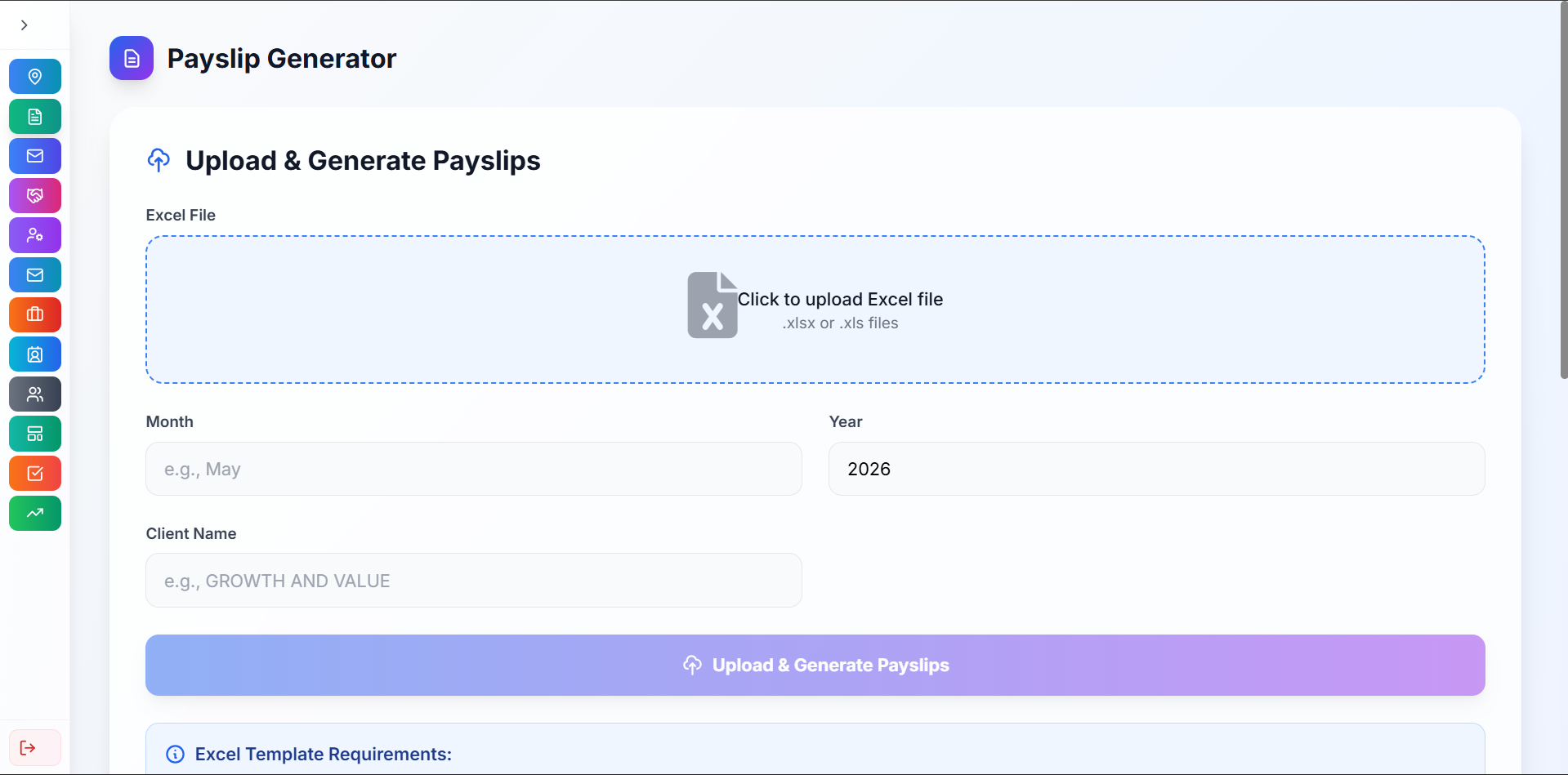
The firm receives payroll data from their clients as Excel sheets. Previously, someone had to manually create a payslip for each worker — a process that consumed hours every pay cycle for hundreds of employees.
My solution: upload the Excel file, and payslips are generated automatically. The system parses the spreadsheet, maps each row to a worker, and produces formatted payslips in bulk.
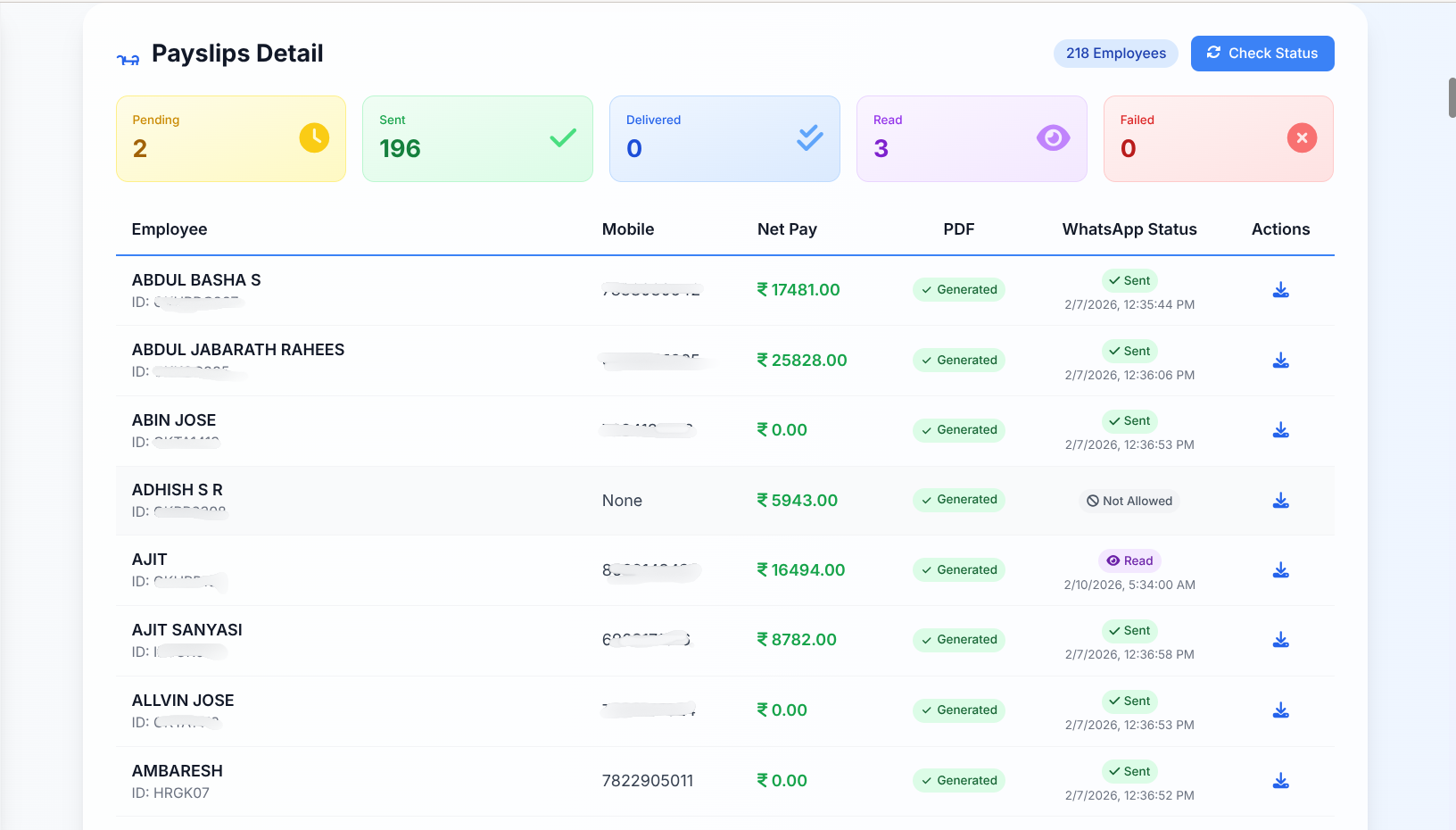
But generating payslips is only half the job. I integrated the WhatsApp Business API so payslips are sent directly to each worker's phone. The dashboard tracks delivery status in real time — sent, delivered, or read. No more chasing people to confirm they received their payslip.
Offer Letter Generator
Creating offer letters was another repetitive bottleneck. Each letter had to be manually formatted with the candidate's details, job title, start date, and terms — often copy-pasted from an old letter and edited by hand.
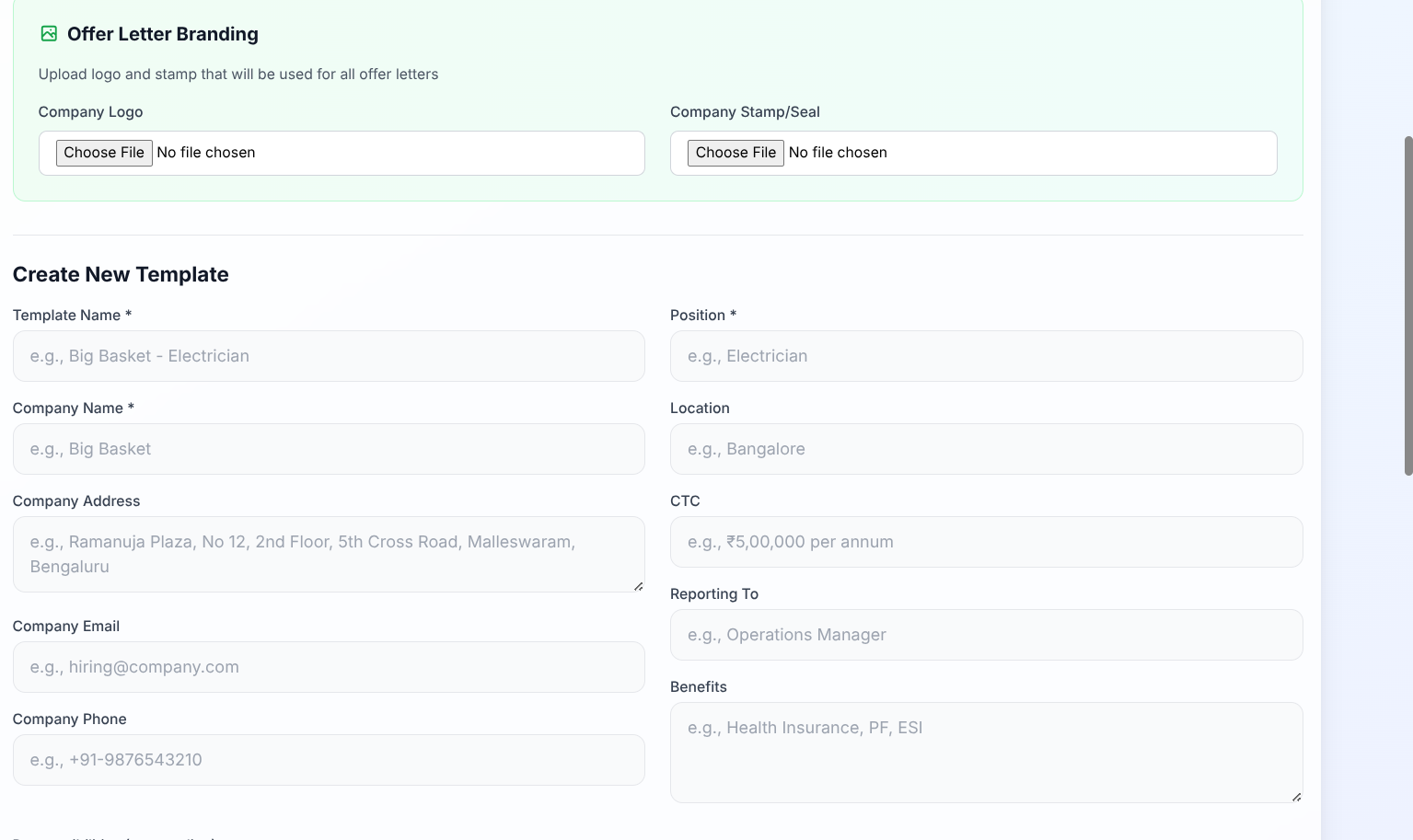
I broke this down into a two-step process:
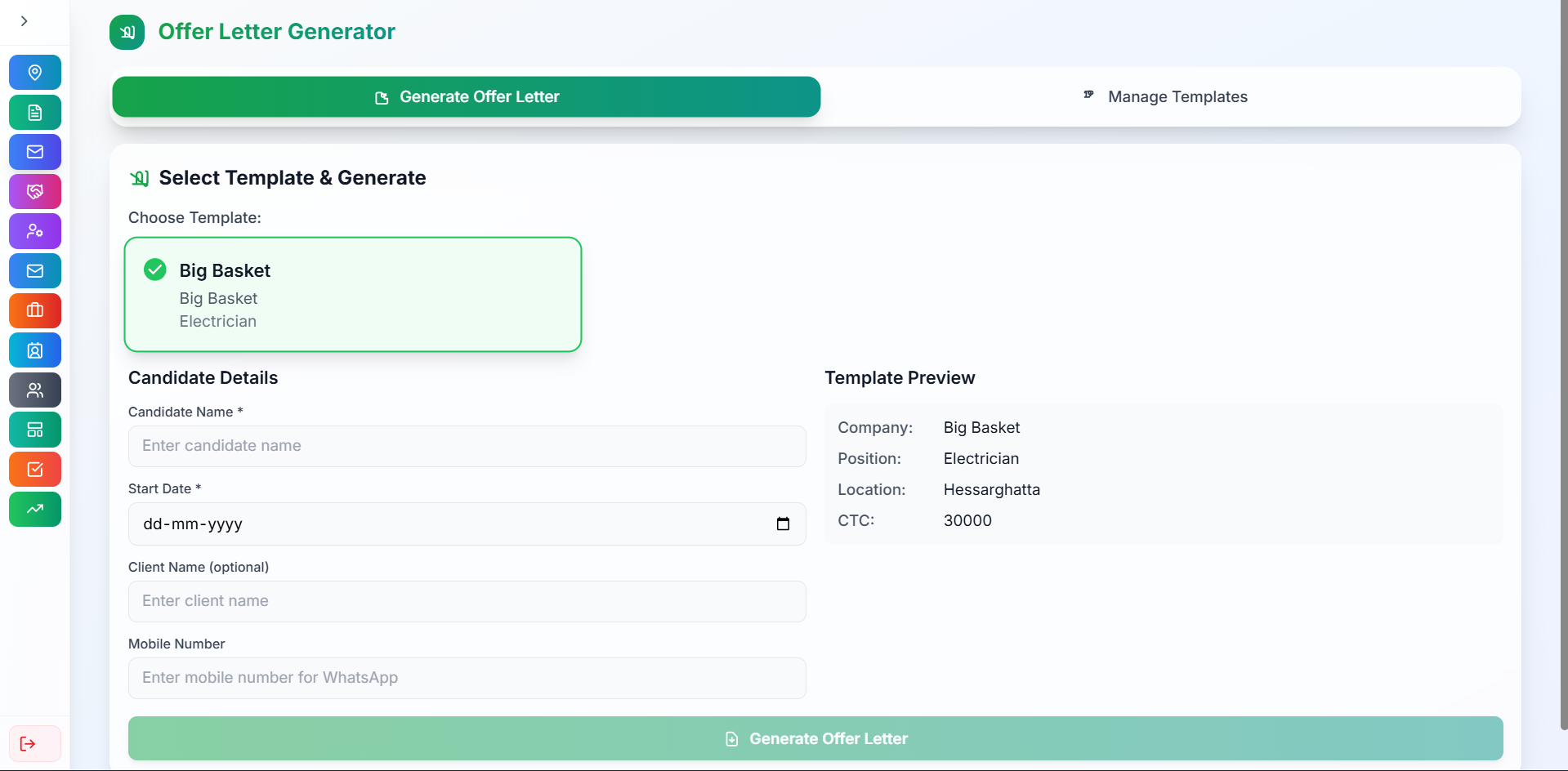
- Create a template — design the letter format once with placeholder fields for candidate name, position, start date, and other variables.
- Generate letters — select a template, fill in the candidate's details, and the system produces a ready-to-send offer letter instantly.
Templates are reusable. Once the format is set up for a client or role, generating new letters is just a matter of entering the candidate's name and start date. No manual formatting, no copy-paste errors.
Hiring Dashboard
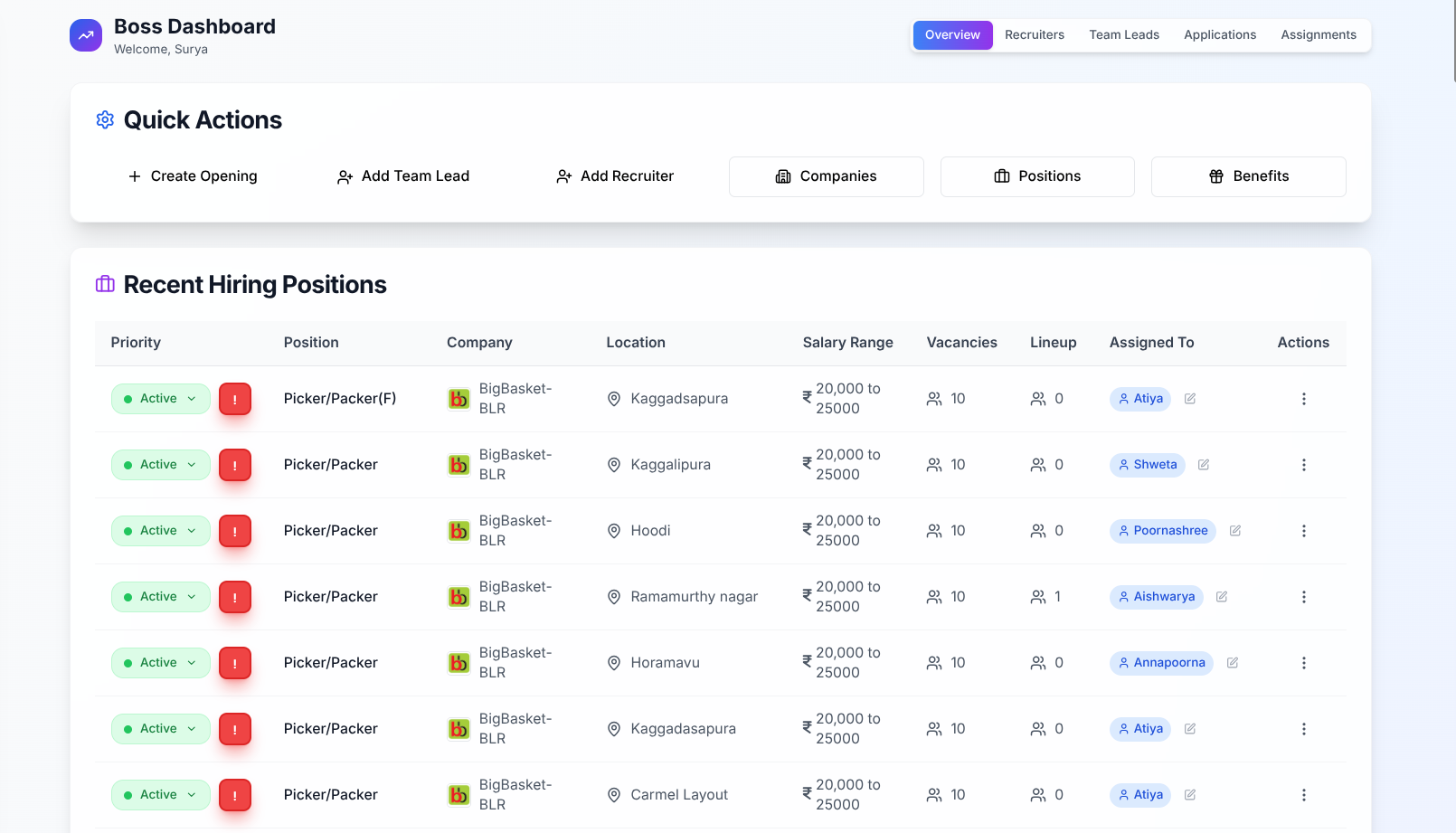
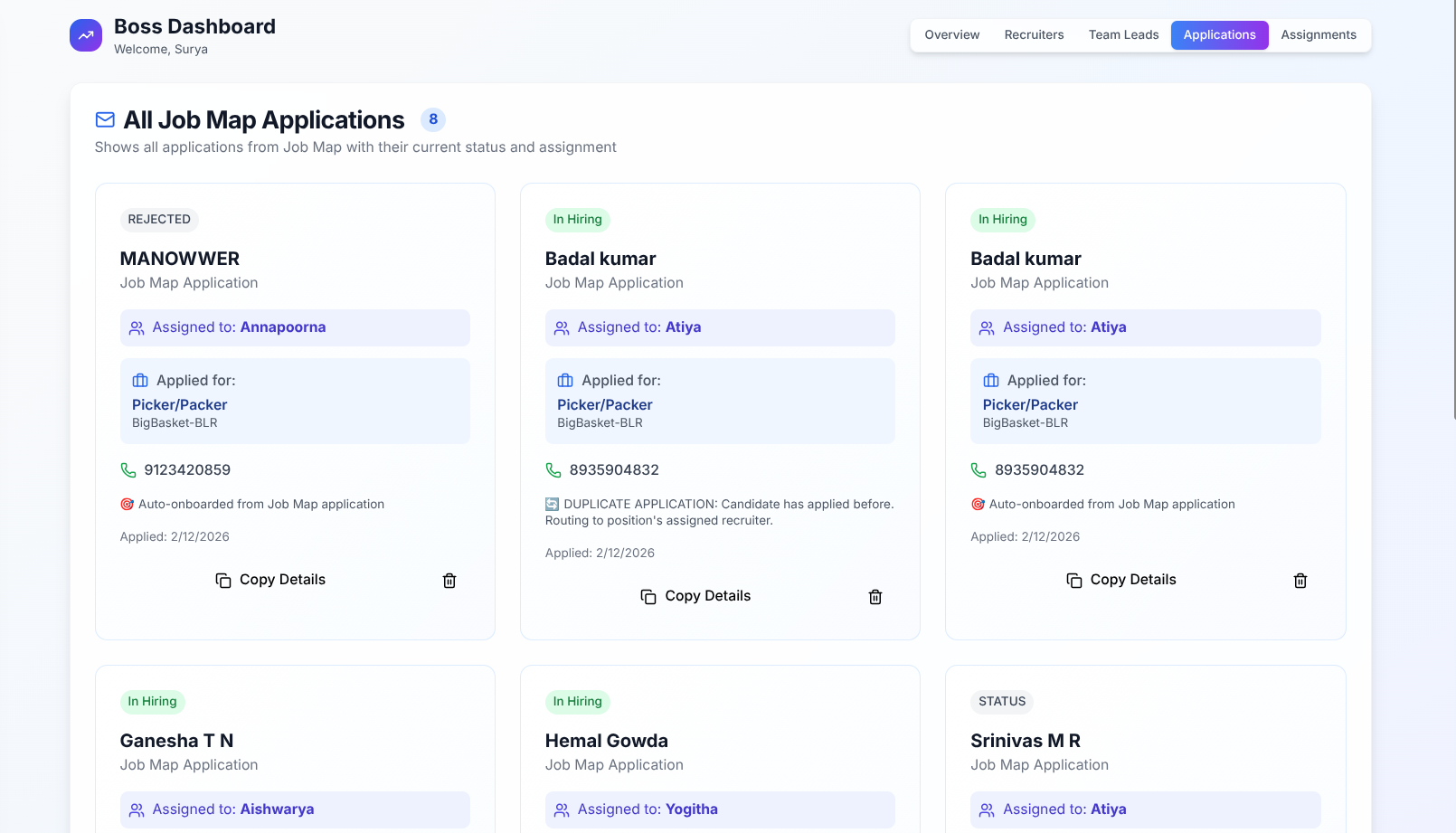
The firm hires from many different locations across India. They needed a centralized place where recruiters, team leads, and management could track job openings, incoming applications, and candidate data — all in one view.
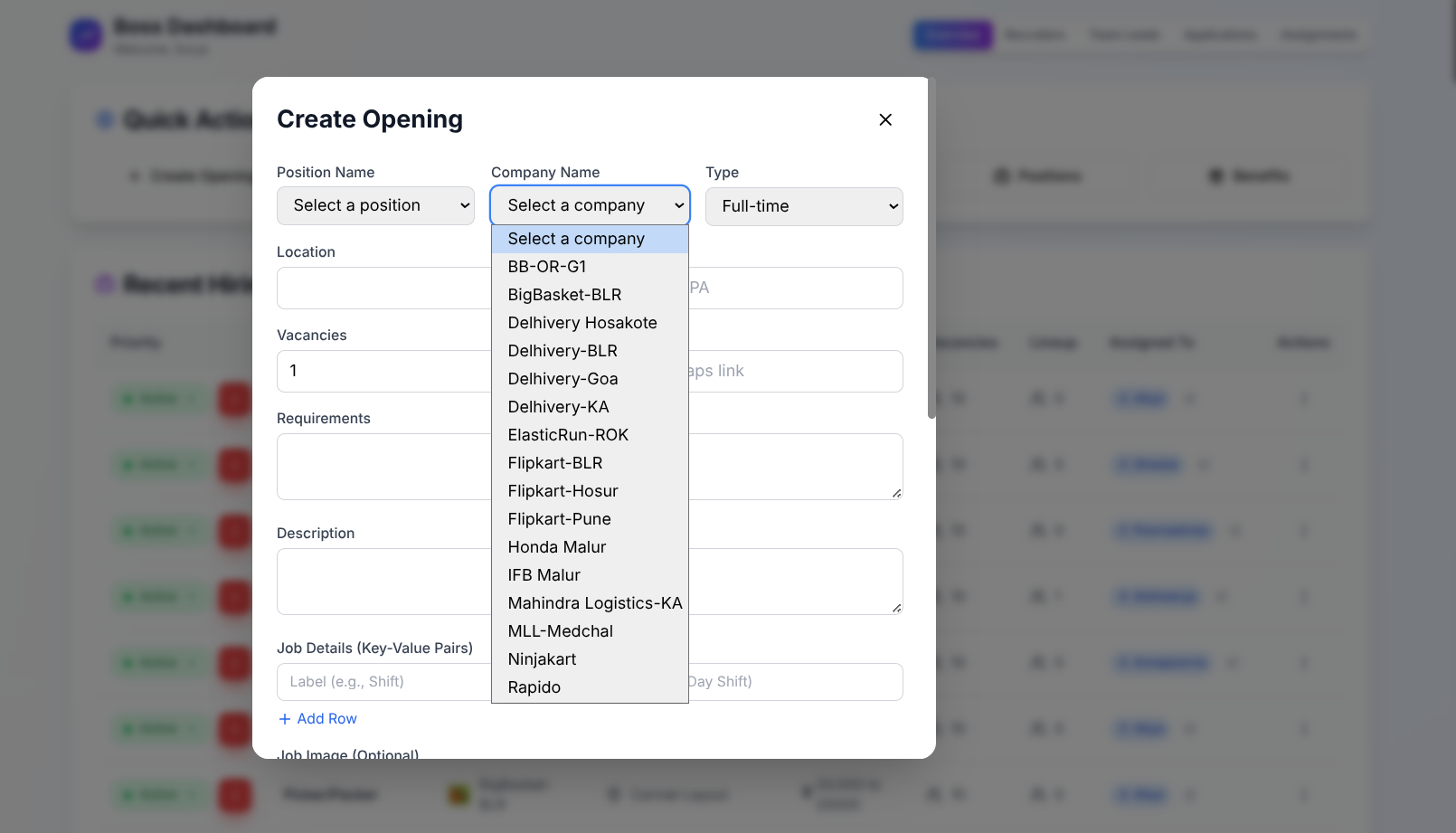
The Hiring Dashboard gives team leads the ability to create job openings with all the relevant details: role, location, requirements, and a Google Maps link to the workplace. Recruiters can then see all active openings and manage applications as they come in.
Each opening also requires a Google Maps link — this becomes important later, as the coordinates are extracted for the Job Map feature.
Internal Job Map
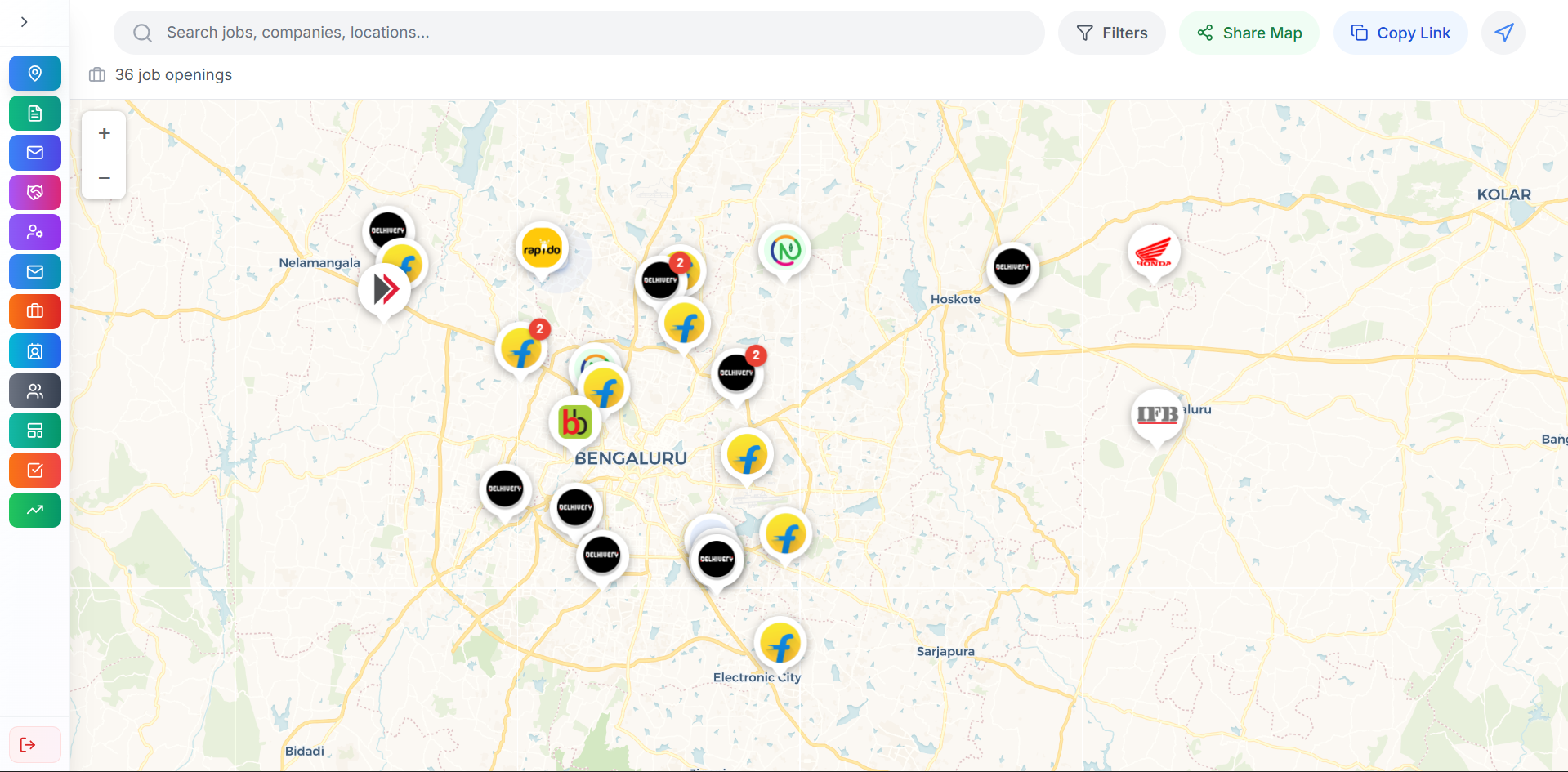
One of the biggest friction points in the hiring process was location. Recruiters would create job openings with a Google Maps link, but many of them didn't actually know where the workplace was. When candidates asked about the location — often the single biggest factor in their decision — recruiters couldn't give a clear answer.
I solved this by extracting geo-coordinates from the Google Maps links provided during job creation, and plotting them on an interactive map built with Leaflet and OpenStreetMap. Recruiters can now visually see exactly where each job is located, zoom in to the area, and confidently explain the location to candidates.
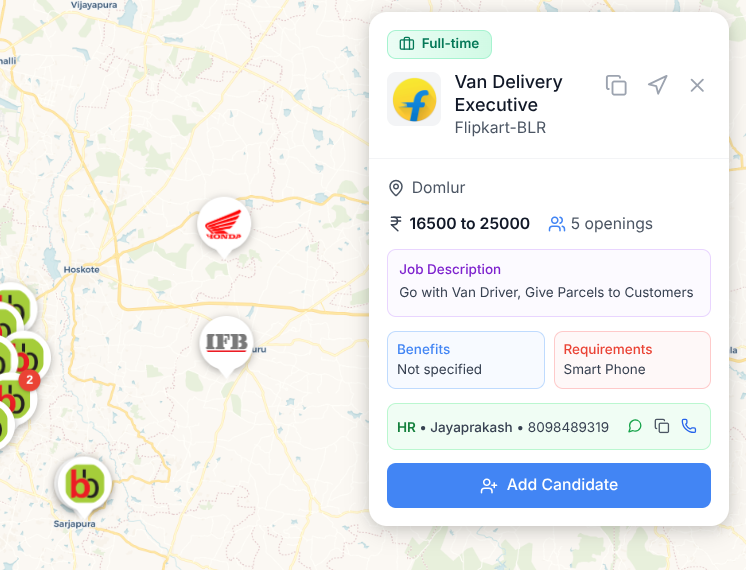
Clicking a pin reveals the full details of that job opening — role, requirements, current applications — and recruiters can add candidates directly from this view.
Candidate Management Dashboard
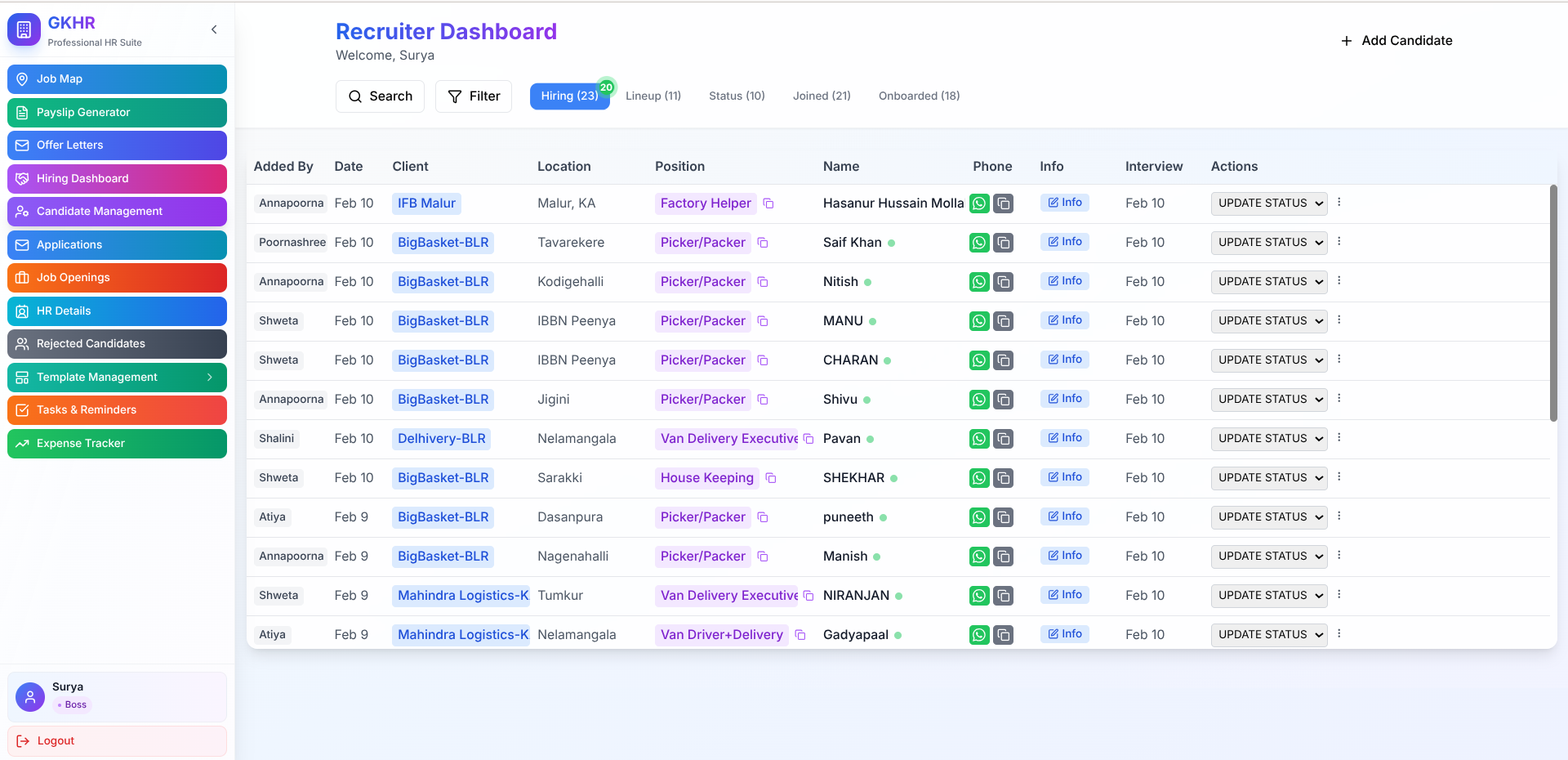
Once candidates enter the system — whether through recruiter outreach or the public job map — they need to be tracked through the hiring pipeline. The Candidate Management Dashboard is a Kanban-style board where recruiters move candidates through status columns based on where they are in the process.
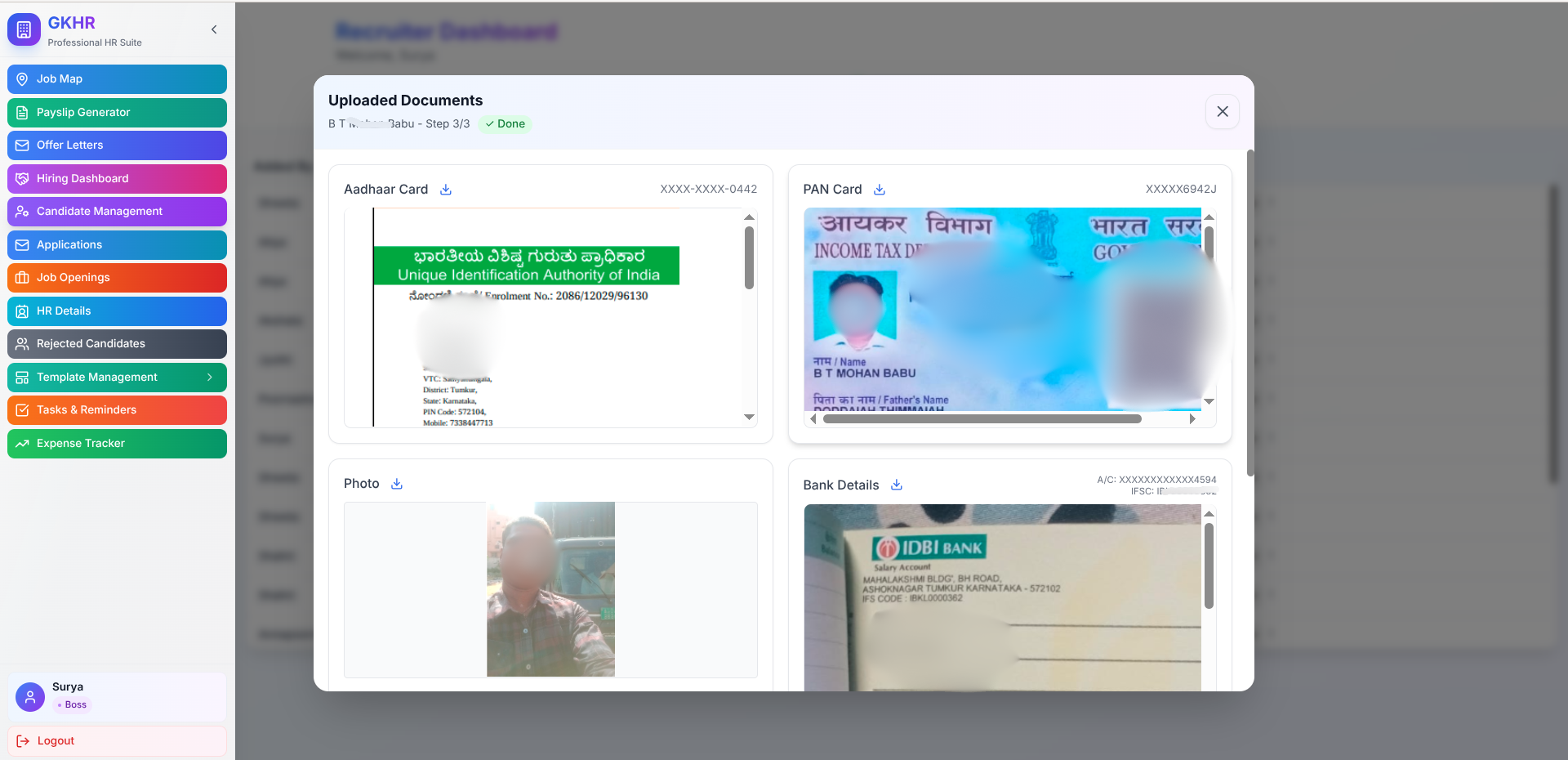
Statuses include stages like: at interview location, not answering call, not interested, selected, and more. After a candidate is selected, the system facilitates the document upload process — collecting the right information so employment documents can be generated.
Public Job Map
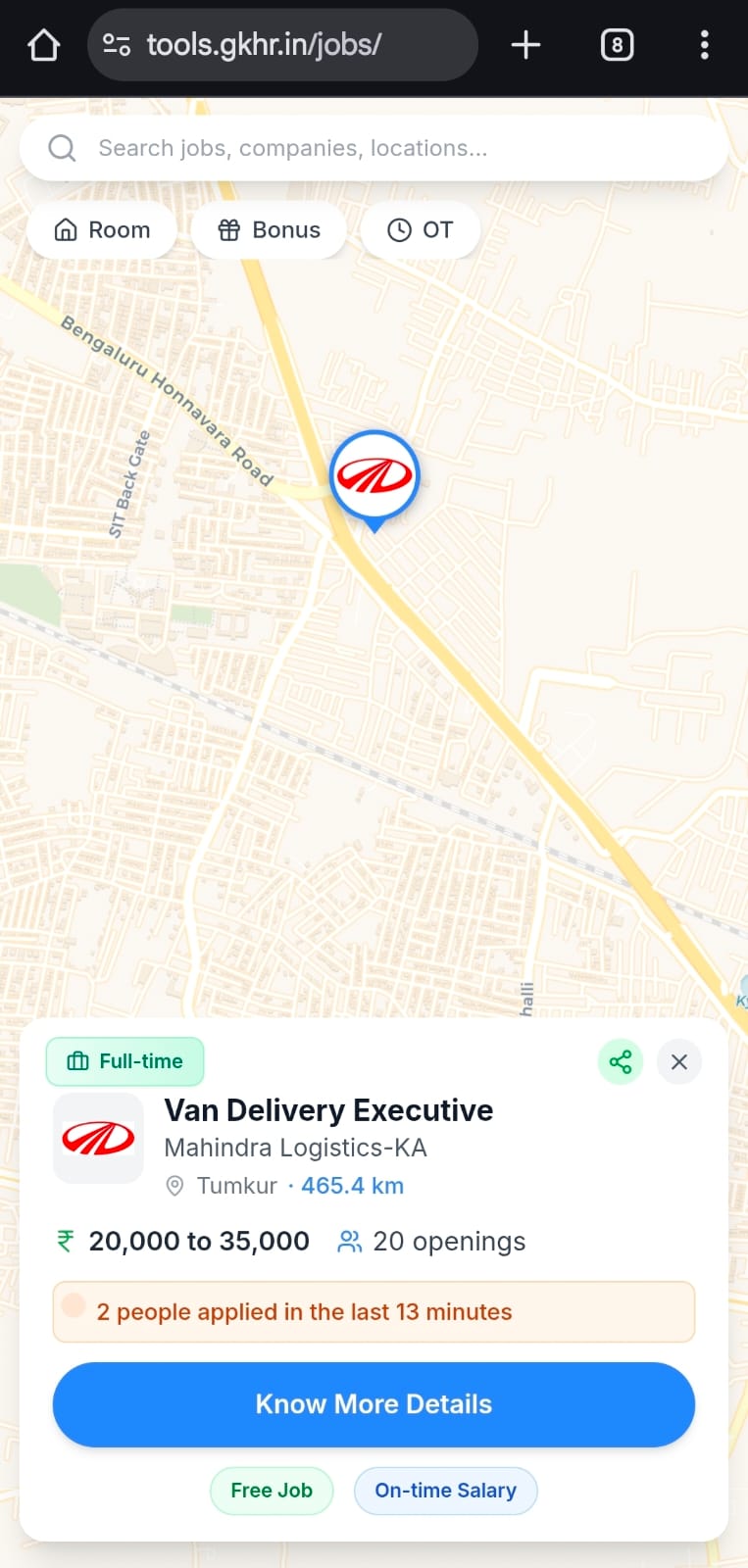
While the Internal Job Map is for recruiters, I also built a public-facing version for job seekers. This is a shareable link that candidates can open on their phone.
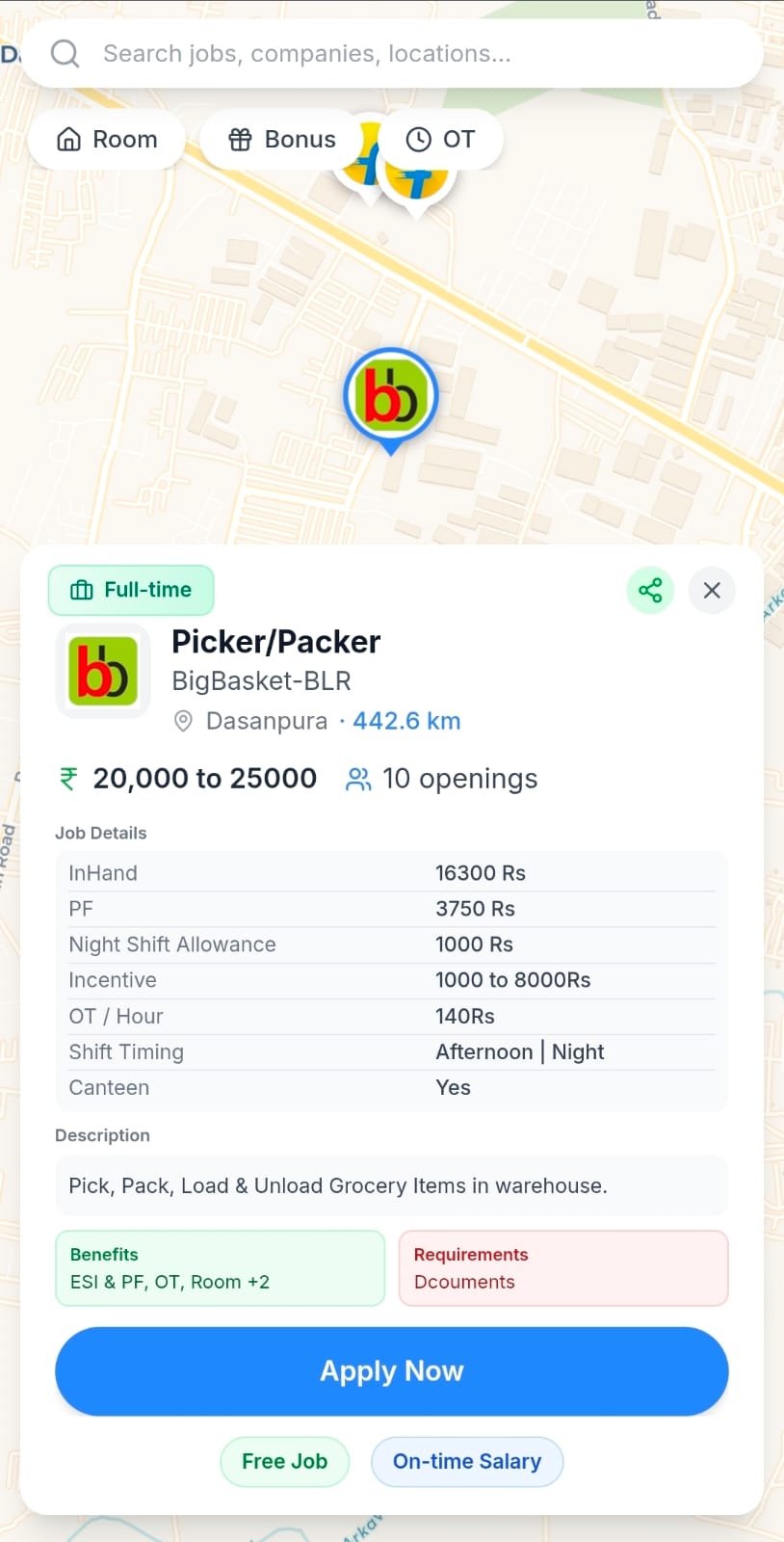
When a candidate lands on the public job map and grants location access, the map auto-zooms to their current location and shows available jobs nearby. Tapping a map pin reveals the full job description — role, pay, requirements, and workplace details. From there, the candidate can fill out their details and apply directly.
The application data flows directly into the Candidate Management Dashboard, where a recruiter picks it up and manages it through the pipeline. The entire loop — from job posting to candidate application to recruiter follow-up — is connected.
The Impact
From hours of manual work per pay cycle to a single Excel upload.
From copy-paste formatting to a two-step template system.
Automated payslip distribution with sent/delivered/read tracking.
Centralized dashboard replacing scattered spreadsheets and phone calls.
Interactive maps that eliminated the #1 candidate objection.
Self-service job discovery that feeds directly into recruiter workflows.
Have a workflow that needs automating?
I build tools that replace tedious manual processes with streamlined digital systems. Let's talk about your business.